Cube ACR APK Download – Best Call Recorder for Android 2026
18 MBVersion
v3.2.288Requirements
Android 6.0 and aboveDownloads
50,000,000+Get it on

Description
Phone calls carry information that we often need later, whether it is a business deal, a verbal agreement, or just a funny chat with a friend. Cube ACR APK gives Android users a simple way to capture every call without depending on the phone manufacturer’s built-in recorder. This app has become one of the most trusted call recording tools after Google removed many similar apps from the Play Store in 2022. People in Pakistan now download the Cube ACR directly to keep this useful feature working on their devices.
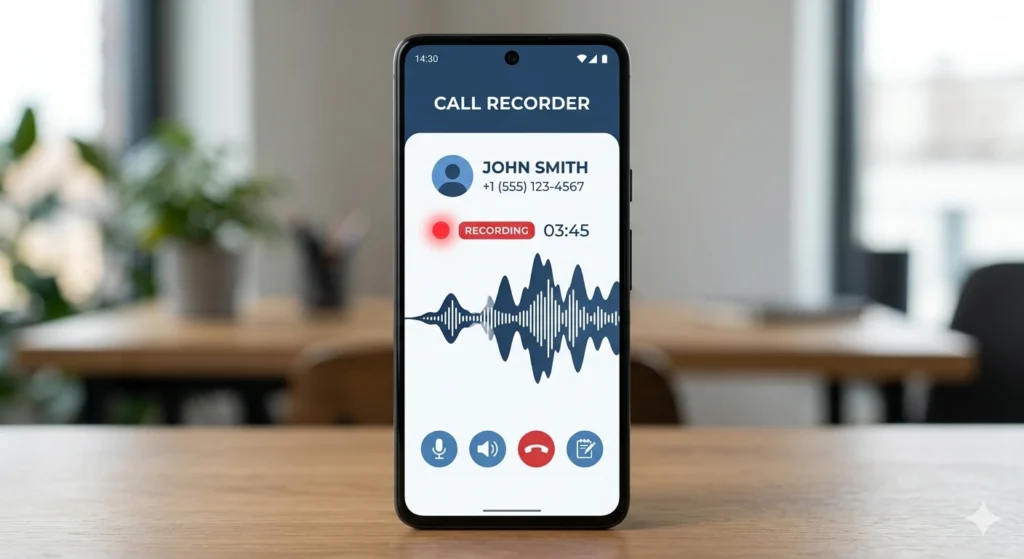
What is Cube ACR APK?
Cube ACR is a call recording application built for Android phones that struggle with native recording support. The app uses a smart detection system to identify when a call starts and automatically begins recording in the background. It works on most popular brands, including Samsung, Xiaomi, Vivo, and Oppo, though results can vary slightly between models. Many users prefer this app because it does not require root access to function properly. The interface stays clean and simple, so even a first-time user finds their way around quickly.
Key Features
Cube ACR brings together several practical tools that make call management much easier on a daily basis. Below is a quick look at what makes this tool stand out from other recorders.
- Automatic call recording for both incoming and outgoing calls
- Cloud backup support through Google Drive and Dropbox
- Smart call blocking to filter out spam and unknown numbers
- Recording organisation by contact name for fast searching
- Built-in player with adjustable playback speed
- Option to record only selected contacts instead of every call

How does Cube ACR record calls?
Cube ACR mixes two recording methods depending on the device, unlike apps that rely purely on the microphone. On some phones, it uses an accessibility service to capture both sides of the conversation clearly. On others, especially newer Android versions with tighter restrictions, the app falls back to microphone recording, which may pick up some background noise. The developers update the app regularly to keep up with new Android security changes. This ongoing support is one reason the app remains reliable even as Android versions continue to evolve.
Why Download Cube ACR APK Instead of the Play Store Version?
Cube ACR became a sideload-only tool after Google’s 2022 policy update removed most call recording apps from the Play Store. The only way to keep using the full version today is through the official APK file. This is exactly why platforms like APKSTICK provide a safe, verified download link for users in Pakistan. Sideloading the APK lets you bypass the Play Store restriction while still getting the same features and updates the developer intended. Always download from a trusted source, since unofficial copies can carry hidden risks.
How to Download and Register Cube ACR APK?
Cube ACR takes only a few minutes to set up if you follow the steps in the right order. The process stays simple even for users who have never sideloaded an APK file before.
- Visit the official Cube ACR download page on APKSTICK and tap the download button
- Allow installation from unknown sources in your phone settings if prompted
- Open the downloaded file and tap install, then wait for the process to finish
- Launch the app and create a free account using your email or phone number
- Verify your account through the confirmation link or code sent to you
- Sign in and proceed to grant the permissions covered in the next section
Creating an account is optional for basic recording, but it unlocks cloud sync and lets you restore your settings if you switch devices later. Skipping registration still allows local recording, so the app remains usable even for users who prefer not to sign up.
Cube ACR Setup and Permissions Guide
Cube ACR setup makes a big difference in recording quality and reliability once permissions are configured correctly. Follow the steps below after installing the app on your device.
- Open the app and grant phone, microphone, and storage permissions
- Enable the accessibility service from your phone settings when prompted
- Turn on automatic recording from the main dashboard
- Choose whether to record all calls or only specific contacts
- Test with a short call to confirm the recording saves correctly
Cube ACR vs Other Call Recorder Apps
Cube ACR stands out when compared with other recorders, though the right choice depends on what matters most to you, whether that is sound quality, storage, or simplicity. The table below compares Cube ACR with two other popular options available for Android users.
| Feature | Cube ACR | ACR Phone | Boldbeast Recorder |
|---|---|---|---|
| Auto Recording | Yes | Yes | Yes |
| Cloud Backup | Yes (Drive, Dropbox) | Limited | No |
| Spam Call Blocking | Yes | No | No |
| Root Required | No | No | No |
| File Size | 18 MB | 12 MB | 9 MB |
| Best For | All-round users | Simple recording | Long calls |
Pros and Cons of Cube ACR
| Pros | Cons |
|---|---|
| Works without root access | Not available on Play Store |
| Automatic recording for calls | Recording quality varies by phone brand |
| Cloud backup to Drive and Dropbox | Accessibility service setup feels tricky for beginners |
| Built-in spam call blocking | Some Android 13+ devices limit two-way audio |
| Let’s you record selected contacts only | Free version shows occasional ads |
| Regular updates from developers | Background recording uses extra battery |
Cube ACR Safety and Privacy Tips
Cube ACR recordings involve personal conversations, so handling the files responsibly matters a great deal. Keep recordings stored in a private folder and avoid sharing them through unsecured apps. It is also worth checking local laws regarding call recording consent before sharing any recorded conversation with others. Cube ACR allows password protection on sensitive files, which adds an extra layer of safety. Regularly back up important recordings to cloud storage in case your device is lost or reset.
Common Cube ACR Problems and Fixes
Cube ACR users sometimes run into recording issues, usually linked to phone brand restrictions rather than the app itself. If calls are not recording, double-check that the accessibility service is still active, since some phones disable it automatically after updates. Battery optimisation settings can also stop the app from running in the background, so add Cube ACR to your battery exceptions list. Restarting the phone after granting permissions often resolves minor glitches as well. If sound quality feels low, try switching the recording source between the microphone and voice call within the app settings.
FAQs
Yes, downloading from a verified source like APKSTICK keeps the file free from malware and matches the original developer release.
Yes, the app functions fully on non-rooted Android devices using its accessibility service method.
Yes, the app lets you choose particular contacts for automatic recording instead of capturing every call.
Google updated its policies in 2022 and removed most third-party call recording apps, pushing developers toward direct APK distribution.
Background recording uses some battery, but the impact stays minimal unless the phone runs very old hardware.
Recording calls for personal use is generally accepted, but sharing recordings publicly may raise privacy concerns, so caution is advised.

APKStick Team
The APKStick Team consists of dedicated Android gaming enthusiasts based in Pakistan who personally test, install, and review every APK before publishing. With years of hands-on experience in mobile gaming and earning apps, we aim to provide safe, verified, and up-to-date APK downloads for Pakistani users. Every app reviewed on APKStick is manually tested on real Android devices to ensure it works, pays, and is free from malware.
Download links
Click the above button to download the game.
Download your game by clicking the button below.