Turbo VPN APK Download Free for Android (Latest Version 2026)
25 MB Version
v4.2.9.13Requirements
Android 6.0+Downloads
300 Million+Get it on

Description
If you live in Pakistan and websites keep getting blocked for you, you already know how annoying that feels. Turbo VPN APK gives you a fast and simple way to fix that problem without any technical knowledge. With over 300 million downloads worldwide, Turbo VPN stands as one of the most trusted free VPN proxy apps for Android. Just tap one button and you are browsing freely in seconds. Whether you want to unblock websites, hide your IP address, or protect your connection on public WiFi, the Turbo VPN APK download handles all of it completely free.
What Is Turbo VPN APK?
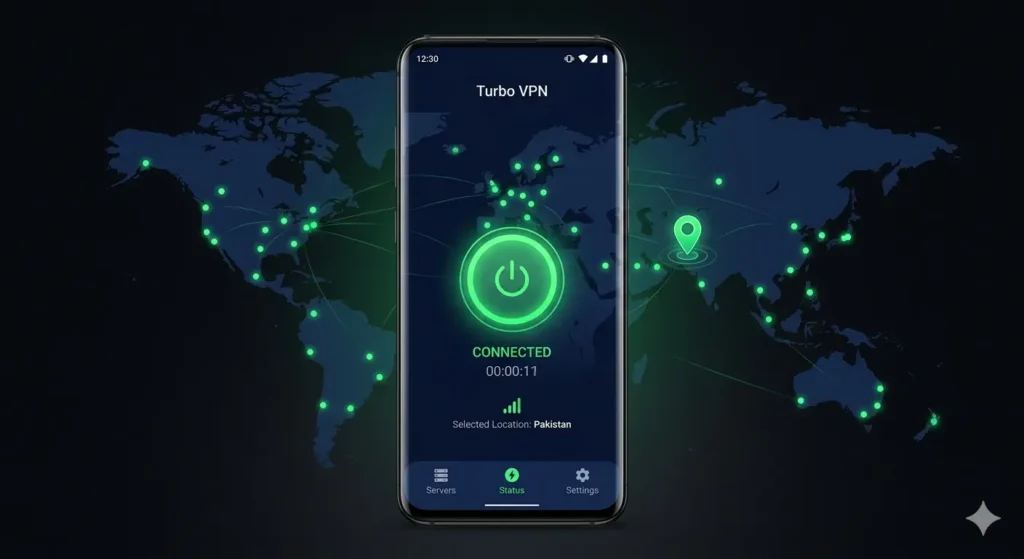
Turbo VPN is a free VPN proxy app developed by Innovative Connecting, a Singapore-based tech company. The app works by routing your internet traffic through secure servers in different countries. This process hides your real IP address, encrypts your connection, and lets you bypass geo-restrictions and censorship with ease.
Turbo VPN APK for Android is available for free on the Google Play Store and as a direct APK download for users who want faster access. The app also works on iOS, Windows, macOS and Chrome so you can protect all your devices from a single account.
The reason Turbo VPN remains so popular in Pakistan is simple. It works fast, it requires zero setup, and you do not need to create an account to start using it. You open the app and you are connected.
Turbo VPN APK App Info
| Detail | Info |
|---|---|
| App Name | Turbo VPN |
| Developer | Innovative Connecting |
| Official Website | https://www.turbovpn.com |
| Play Store URL | https://play.google.com/store/apps/details?id=free.vpn.unblock.proxy.turbovpn |
| Total Downloads | 300 Million+ |
| Android Required | Android 6.0 and above |
| App Size | Approximately 25 MB |
| Root Required | No |
| Account Required | No |
| Latest Version | 4.2.9.13 |
| Price | Free (Premium available) |
Key Features of Turbo VPN APK for Android
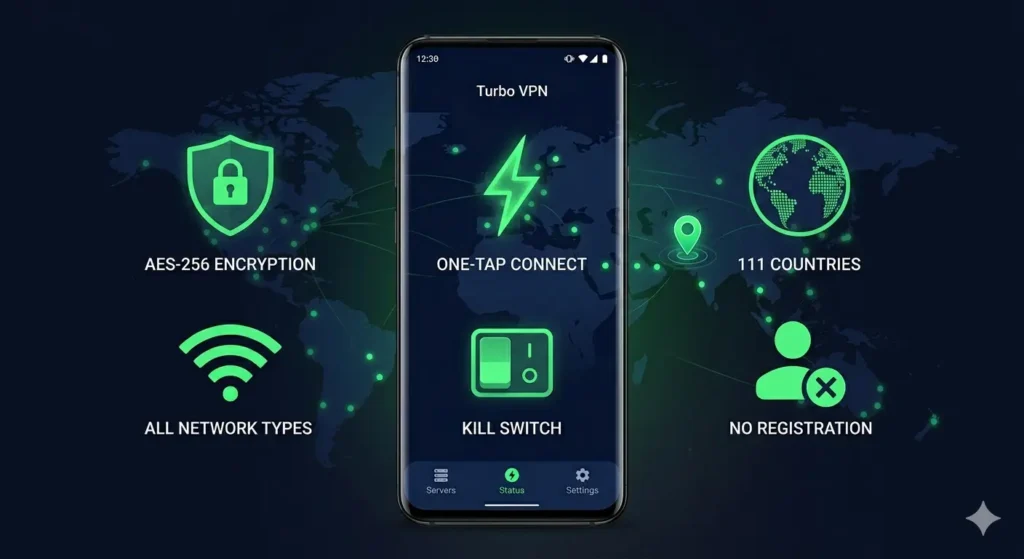
AES-256 Military Grade Encryption
Turbo VPN uses AES-256 encryption to protect every byte of data you send and receive online. This is the same encryption standard that banks, militaries, and governments use worldwide. When you connect to Turbo VPN, hackers, ISPs, and surveillance agencies cannot see what you do online. Your connection stays private and secure at all times.
One-Tap Connect to the Fastest Server
Turbo VPN makes connecting to a VPN server effortless. You open the app, tap the large green button, and the app automatically selects the fastest available server based on your location and network speed. The whole process takes three to five seconds. You do not need to manually choose settings or configure anything.
21,000 Plus Servers in 111 Countries
Turbo VPN gives you access to over 21,000 servers spread across 111 countries. You can connect to servers in Pakistan, India, the United States, the United Kingdom, Germany, Singapore, Japan and dozens of other countries. Premium users get full access to all server locations while free users get a strong selection that works well for everyday browsing.
Automatic Kill Switch
If your Turbo VPN connection ever drops unexpectedly, the kill switch activates automatically. It cuts your internet connection instantly so your real IP address never leaks. This feature works silently in the background and keeps your identity protected even during connection interruptions.
Works on WiFi, 4G, LTE and Mobile Data
Turbo VPN works on every type of network connection. Whether you use home WiFi, office internet, 3G, 4G or LTE mobile data, the app connects without any adjustments. This makes it one of the best free VPN apps for Android users in Pakistan who switch between WiFi and mobile data throughout the day.
No Registration and No Account Needed
Most VPN apps force you to create an account before you can use them. Turbo VPN skips that completely. You download the app, open it and start browsing. No email address, no password, no personal information required. This alone makes Turbo VPN one of the easiest free VPN proxy apps available.
Strict No Logs Policy
Turbo VPN follows a strict no-logs policy. The app does not record your browsing history, connection timestamps, IP addresses or any activity data. What you do online while connected to Turbo VPN stays completely private.
Hide IP Address and Browse Anonymously
Every time you connect to Turbo VPN, the app replaces your real IP address with a server IP from the location you choose. Websites and apps you visit see the server IP instead of yours. This lets you browse anonymously and access region-locked content from anywhere in the world.
Access Blocked Websites and Apps in Pakistan
Turbo VPN makes it straightforward to unblock websites and apps that face restrictions in Pakistan. Whether a website is blocked by your ISP or restricted by the government, connecting to a Turbo VPN server bypasses those restrictions instantly. You access the content directly with no delays.
Split Tunnelling Support
Turbo VPN Premium includes split tunnelling. This feature lets you choose which apps use the VPN connection and which apps use your regular internet. For example, you can route your browser through a VPN while your banking app uses your normal connection. This gives you more control over how you use the VPN.
Free and Premium Plans Available
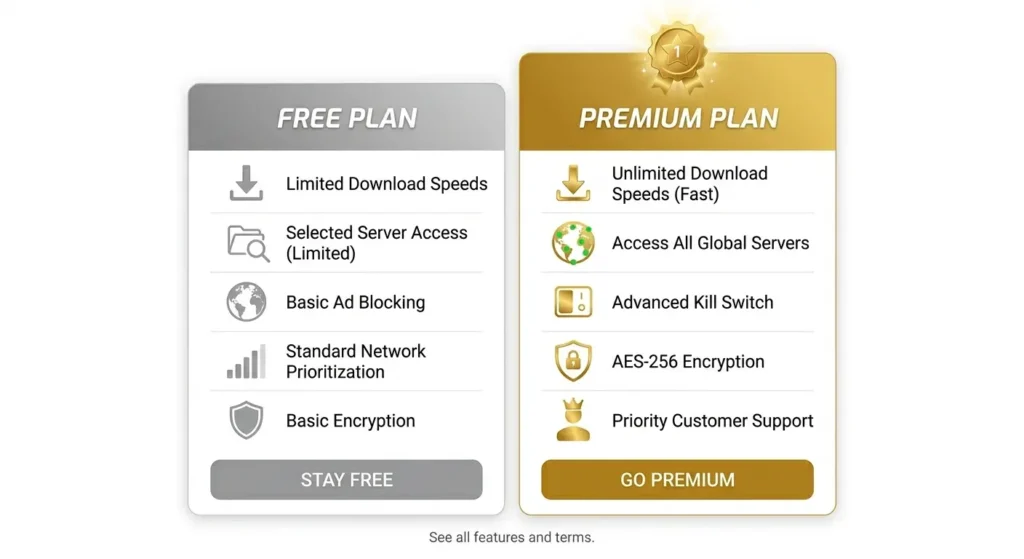
Turbo VPN offers both a free version and a premium subscription. The free version works great for daily browsing and unblocking websites. The premium plan removes all ads, unlocks every server location, increases connection speeds, and lets you connect up to five devices at the same time. Premium users also get a 30-day money-back guarantee.
What Is Turbo VPN MOD APK?
Turbo VPN MOD APK is a modified version of the original Turbo VPN app that unlocks all premium features without a paid subscription. When you install the MOD APK, you get access to everything the paid plan offers at zero cost.
Turbo VPN MOD APK is especially popular among Android users in Pakistan who want a best free VPN for blocked sites in Pakistan without spending money on monthly subscriptions.
Here is everything you get with Turbo VPN MOD APK:
- VIP and premium features fully unlocked
- All 21,000-plus server locations are accessible
- Zero ads throughout the app
- Faster connection speeds on all servers
- Unlimited bandwidth with no data limits
- Improved app performance with debug information removed
- Optimised resources for smoother loading
The MOD APK version works on Android 6.0 and above and does not require root access. You install it the same way you install any regular APK file.
Turbo VPN APK vs Psiphon Pro: Full Comparison
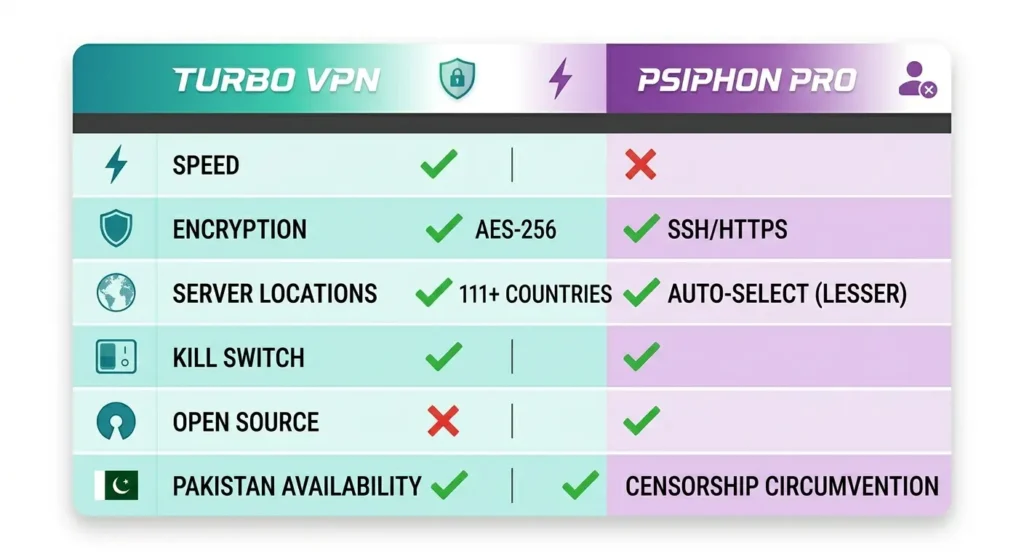
Both Turbo VPN and Psiphon Pro rank among the most popular free VPN apps for Android in Pakistan. They both unblock websites and protect your privacy but they work differently. Here is a detailed comparison to help you choose the right one.
| Feature | Turbo VPN | Psiphon Pro |
|---|---|---|
| Connection Speed | Very Fast | Moderate |
| Server Locations | 111 Countries | Limited |
| Total Servers | 21,000+ | Not disclosed |
| Encryption | AES-256 | Multi-Protocol |
| Kill Switch | Yes | No |
| Split Tunneling | Yes (Premium) | Yes |
| No Registration | Yes | Yes |
| Open Source | No | Yes |
| No Logs Policy | Yes | Yes |
| Free Version | Yes | Yes |
| Ads in Free Version | Yes | Yes |
| Pakistan Servers | Available | Available |
| Best For | Speed, streaming | Privacy, censorship bypass |
| Total Downloads | 300 Million+ | 350 Million+ |
Is Turbo VPN Safe to Use on Android?
This is one of the most searched long tail keywords around Turbo VPN and for good reason. People want to know whether the app actually protects them or creates new risks.
The honest answer is that Turbo VPN is safe for general browsing, streaming and accessing blocked websites. The app uses strong AES-256 encryption and a no-logs policy that prevents your activity from being recorded. For everyday use in Pakistan, it does the job reliably.
However, there are a few things worth knowing before you use it for sensitive tasks.
Turbo VPN operates from Singapore which sits outside the 14-Eyes surveillance alliance. That is a good sign. However, some security researchers have noted that the company has suspected ties to Chinese investors and that Singapore cooperates with international intelligence agencies under certain conditions. Additionally, some versions of the free Turbo VPN app have been flagged for containing aggressive third-party ad libraries.
Here are practical tips to stay safe while using Turbo VPN for Android:
- Never use the free version for banking, password entry or sensitive financial activity
- Always download the app from the official Play Store or a trusted source like apkstick.pk
- Avoid entering personal information while connected to any free VPN
- Use a private browser alongside Turbo VPN for better anonymity
- If you need maximum privacy protection, consider a premium privacy-focused VPN for sensitive tasks
For unblocking websites, general browsing, streaming and protecting yourself on public WiFi, Turbo VPN works safely and effectively.
How to Download Turbo VPN APK Free for Android
You have two easy methods to download the Turbo VPN APK on your Android phone.
Method 1: Download from Google Play Store (Official)
This is the safest and most straightforward method. Open the Play Store on your Android phone, search for Turbo VPN, and tap Install. The app downloads and installs automatically. You also get automatic updates whenever a new version releases.
Method 2: Direct Turbo VPN APK Download (APK File)
If you want the MOD APK version or the Play Store is not available in your region, follow these steps:
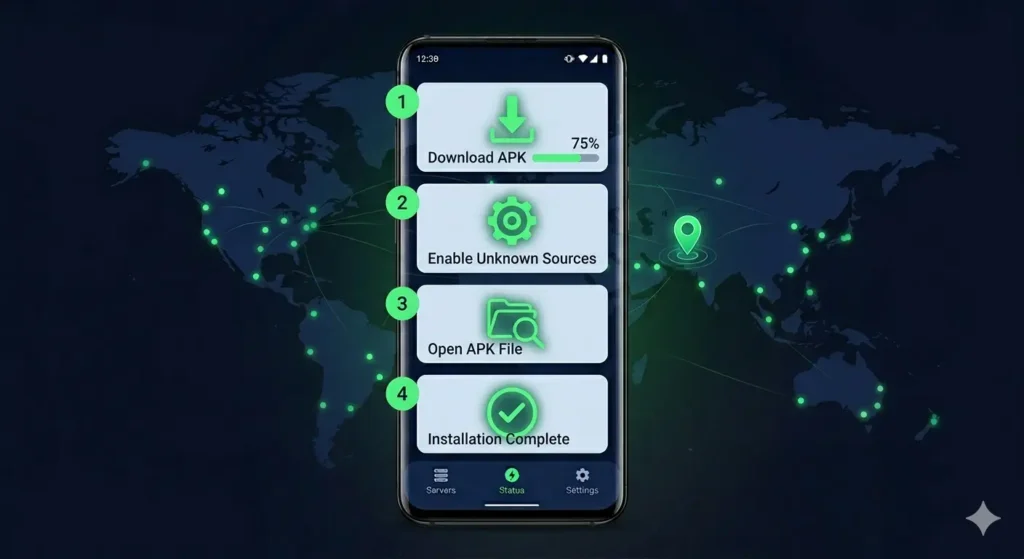
- Open your browser and visit apkstick.pk
- Search for Turbo VPN APK in the search bar
- Tap the Download button on the Turbo VPN page
- Wait for the APK file to finish downloading to your phone
- Open Settings on your Android phone
- Go to Security or Privacy, depending on your phone model
- Enable the option that says Install from Unknown Sources or Allow from this Source
- Open your file manager and navigate to the Downloads folder
- Tap the Turbo VPN APK file to begin installation
How to Install Turbo VPN APK Step by Step
Installing the Turbo VPN APK on Android takes less than two minutes. Follow these steps carefully and you will have it running in no time.
Step 1: Make sure you have already downloaded the Turbo VPN APK file to your phone. You will find it in your Downloads folder.
Step 2: Open your file manager app and go to the Downloads folder. Look for the file named TurboVPN.apk or similar.
Step 3: Tap on the APK file. Your phone will show an installation prompt. If it asks for permission to install from unknown sources, grant that permission in your settings and come back to this step.
Step 4: Tap the Install button on the installation screen. Wait for the progress bar to complete. This usually takes 10 to 20 seconds.
Step 5: Once installation completes, tap Open to launch Turbo VPN directly. You will see the home screen with a large green connect button.
Step 6: Tap the green button. Turbo VPN automatically connects you to the fastest available server. When the button turns green and shows Connected, you are ready to browse freely.
How to Use Turbo VPN to Unblock Websites in Pakistan
Using the Turbo VPN APK to access blocked websites in Pakistan takes less than 30 seconds from start to finish.
Step 1: Open the Turbo VPN app on your Android phone.
Step 2: Tap the green Connect button on the home screen. The app automatically picks the fastest server for you.
Step 3: Wait for the connection status to show Connected. This takes three to five seconds.
Step 4: Open your browser and visit any website or app that was previously blocked.
Step 5: Browse without any restrictions.
If you want to connect to a specific country, tap the server list icon at the bottom of the screen before connecting. Select your preferred country from the list and then tap Connect.
Turbo VPN Free vs Turbo VPN Premium: Full Comparison
| Feature | Free Plan | Premium Plan |
|---|---|---|
| Price | Free | Paid Monthly |
| Ads | Yes | No |
| Server Locations | Limited | All 111 Locations |
| Total Servers | Limited | 21,000+ |
| Connection Speed | Good | Faster |
| Simultaneous Devices | 1 | Up to 5 |
| Kill Switch | Yes | Yes |
| Split Tunneling | No | Yes |
| Streaming Optimized Servers | No | Yes |
| Money Back Guarantee | No | 30 Days |
| Customer Support | Basic | 24/7 Priority |
The free plan covers everything you need for daily browsing and bypassing blocked websites. The premium plan makes a real difference if you stream videos regularly, need VPN on multiple devices, or want the fastest possible speeds on premium servers.
Turbo VPN Lite vs Regular Turbo VPN: Which One to Choose?
Turbo VPN also offers a Lite version for users who want to save storage space on their Android phone. Here is how the two versions compare.
| Feature | Turbo VPN | Turbo VPN Lite |
|---|---|---|
| App Size | 25 MB | 10 MB |
| Full Feature Set | Yes | Core features only |
| Server Access | Full selection | Limited |
| Ads | Yes (free) | Yes |
| Best For | All Android users | Budget phones |
| Android Required | 6.0+ | 6.0+ |
The regular Turbo VPN app works best for most users. The Lite version suits older or budget Android phones where storage space is limited. Both versions give you free VPN proxy access to unblock websites and protect your connection.
System Requirements for Turbo VPN APK
| Requirement | Details |
|---|---|
| Android Version | 6.0 and above |
| File Size | 25 MB (Regular) |
| File Size Lite | 10 MB (Lite version) |
| Internet Connection | Required |
| Root Access | Not required |
| Account Required | No |
| Storage Space | Minimum 50 MB free |
| RAM | 1 GB minimum recommended |
Why Turbo VPN APK Is the Best Free VPN for Android in Pakistan
Pakistan users face a unique set of challenges online. Websites get blocked without warning, streaming platforms restrict content by region, and public WiFi networks leave personal data exposed. Turbo VPN APK solves all three problems with a single app.
The one-tap connect feature means anyone can use it regardless of technical knowledge. The 21,000-plus servers across 111 countries mean you always find a fast connection. The AES-256 encryption means your data stays protected whether you browse on home WiFi or public internet.
Add to this the fact that the Turbo VPN APK download is completely free, requires no account and works on all Android versions from 6.0 upwards, and you understand why it ranks among the most downloaded free VPN proxy apps for Android in Pakistan and across South Asia.
Conclusion
Turbo VPN APK stands as one of the most reliable free VPN proxy apps you can download on Android today. It combines strong AES-256 encryption, a massive network of over 21,000 servers in 111 countries, a one-tap connect interface, and a strict no-logs policy in a single free app. Whether you want to unblock blocked websites in Pakistan, hide your IP address, protect your connection on public WiFi, or stream geo-restricted content, Turbo VPN APK handles all of it without asking you to pay or create an account.
The MOD APK version takes things further by unlocking all premium features completely free. The Lite version gives budget phone users the same core protection in a smaller package. And the comparison with Psiphon Pro shows that Turbo VPN leads on speed and server variety while remaining a strong everyday privacy tool.
If you want a fast, free and easy-to-use VPN for Android, Turbo VPN APK is absolutely worth downloading right now.
Frequently Asked Questions
This is a free VPN proxy app for Android developed by Innovative Connecting, a Singapore-based company. It encrypts your internet connection, hides your real IP address, and lets you access blocked websites and apps from anywhere in the world with just one tap.
Yes, it is completely free to download and use. The free version gives you access to selected servers with basic features. A premium plan is also available for users who want faster speeds, all server locations, and an ad-free experience.
It is safe for general browsing, streaming, and accessing blocked websites. The app uses AES-256 encryption and follows a strict no-logs policy. However, you should avoid using the free version for sensitive activities like online banking or entering passwords.
You can download it directly from the Google Play Store by searching the app name. You can also get the APK file from apkstick.pk and install it manually by enabling Unknown Sources in your phone settings.
You get access to over 21,000 servers spread across 111 countries. Premium users can connect to all server locations while free users get a solid selection that handles everyday browsing without any issues.
No. You do not need to create an account or provide any personal information. You download the app, open it, tap the connect button, and start browsing immediately.
The app requires Android 6.0 or higher. It works on all Android phones and tablets running Android 6.0 and above without needing root access.

APKStick Team
The APKStick Team consists of dedicated Android gaming enthusiasts based in Pakistan who personally test, install, and review every APK before publishing. With years of hands-on experience in mobile gaming and earning apps, we aim to provide safe, verified, and up-to-date APK downloads for Pakistani users. Every app reviewed on APKStick is manually tested on real Android devices to ensure it works, pays, and is free from malware.
Download links
Click the above button to download the game.
Download your game by clicking the button below.