MIUI File Manager APK – Download Free for Android (2026)
11.5 MBVersion
V1-250221Requirements
5.0 and upDownloads
1B+Get it on

Description
If you own a Xiaomi or Redmi phone, chances are you already have MIUI File Manager sitting somewhere on your device. But many users never explore what this app can actually do, or they lose access to it after switching ROMs, resetting their phone, or moving to a different brand. That is exactly where this guide comes in.
MIUI File Manager apk is not just another file browsing tool. It is a complete file management solution built directly by Xiaomi, designed to work in harmony with MIUI and HyperOS. Whether you want to organise messy downloads, free up storage, share files without internet, or dig through old folders you forgot existed, this app handles it without forcing you to install three different tools to get the job done.
In this guide, we will walk through everything from what the app actually is, to its core and lesser-known features, how it stacks up against other file managers, how to download and install it, and what to expect once you start using it.
What Is MIUI File Manager?
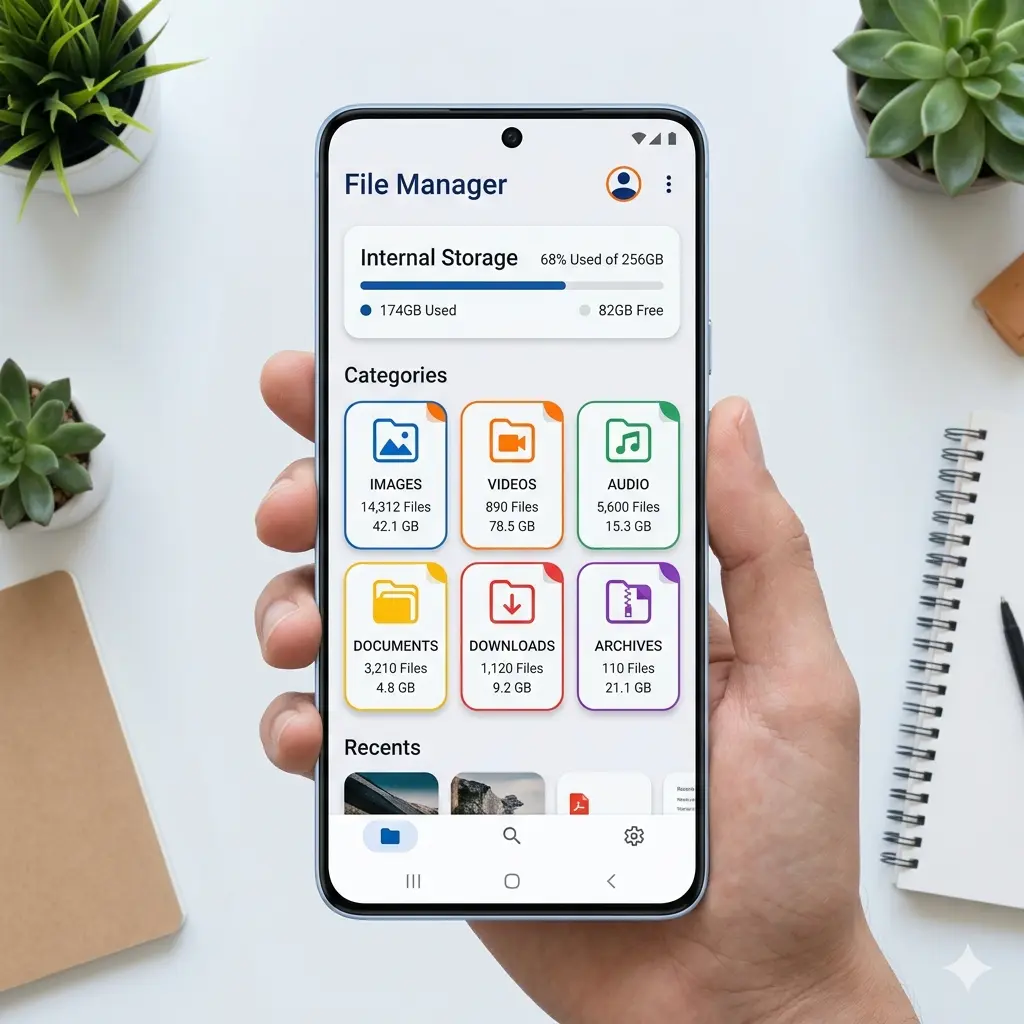
MIUI File Manager apk, sometimes also listed as Mi File Manager or Xiaomi File Explorer depending on the region, is the default file handling app for Xiaomi devices running MIUI or HyperOS. At its core, it gives you a structured view of everything stored on your phone, sorted automatically into categories like images, videos, audio, documents, and APKs, instead of dumping you into a raw folder tree the way older Android file browsers used to.
What sets it apart from a typical stock file manager is how much functionality Xiaomi packed into a fairly lightweight app. It is not just for viewing files. It cleans junk, compresses folders, transfers files offline, and even helps you keep an eye on storage health, all from one dashboard.
Key Features of Miui File Manager APK
Smart Categorised Browsing
Instead of opening a generic folder structure, the app organizes content automatically by file type. This makes locating a specific photo, PDF, or downloaded APK much faster than scrolling through nested folders manually.
Built-In Storage Cleaner
This is one of the most used features by Pakistani users on budget Xiaomi devices. The cleaner scans for cache, residual files, and junk data left behind by apps, and clears them in a couple of taps, often freeing up noticeable space on phones with 32GB or 64GB storage.
Mi Drop Integration for Offline Sharing
Through Mi Drop, you can send files to nearby Xiaomi devices at high speed without using mobile data or even an internet connection. This is particularly useful in areas with weak or expensive mobile data, which makes it a genuinely practical feature rather than a gimmick.
Global Search
Typing a keyword pulls up matching files instantly, regardless of which folder they are buried in. This saves time compared to manually navigating through directories.
File Compression Support
You can create and extract ZIP and RAR files directly from the app, removing the need for a separate archive manager.
Multi-File Batch Actions
Selecting multiple files at once for moving, deleting, renaming, or sharing is smooth and does not require switching between modes.
Additional Features Worth Knowing
Storage Analytics
Beyond just showing free space, the app breaks down what is consuming your storage by category, helping you identify large files or apps eating up space without needing a third-party storage analyser.
Recent Files View
A dedicated tab shows recently accessed or downloaded files, which is handy when you remember opening something but forgot exactly where you saved it.
APK Management
Since the app recognises installed and downloaded APK files separately, it becomes easier to manage app installers, which matters a lot for users who frequently sideload apps.
Multi-Language Support
The app supports a wide range of languages, making it accessible for a broad user base beyond just English speakers.
Lightweight Footprint
At roughly 11.5MB, it remains noticeably lighter than several third-party alternatives while still offering more built-in functionality.
How MIUI File Manager Compares to Other File Managers?
Most third-party file managers on the Play Store either focus heavily on a clean interface while skipping useful tools like a cleaner, or they pack in so many features that the app becomes bloated and slow on older devices. MIUI File Manager finds a practical middle ground.
Compared to apps like ES File Explorer, it does not carry unnecessary ads or bundled tools you never asked for. Compared to lighter alternatives like File Manager+, it offers more built-in utility through its cleaner and Mi Drop sharing, without sacrificing speed. For Xiaomi and Redmi users specifically, it also integrates better with the system since it is built by the same manufacturer, meaning fewer permission issues and better long-term compatibility with MIUI updates.
How to Download MIUI File Manager APK?
- Visit the download page and tap on the download button for MIUI File Manager APK (V1-250221).
- Wait for the file to download completely. The file size is small, around 11.5 MB, so it should finish within a few seconds on most connections.
- Locate the file in your phone’s Downloads folder once the download completes.
- Tap on the APK file to begin installation.
- Allow installation from unknown sources if prompted. This is a one-time setting under Settings, then Security or Privacy, depending on your Android version.
- Tap Install and wait for the process to finish.
- Open the app once installed and grant storage permission so it can access and manage your files.
Registration Process of Miui File Manager APK
IUI File Manager does not require any registration, sign-up, or login to use. Since it is a system utility app focused on managing files stored locally on your device, you can open it immediately after installation and start using all its features right away. There is no account creation step, no email verification, and no login screen blocking access to the app.
The only permission you will need to approve is storage access, which the app requests on first launch so it can read and organize your files.
Is MIUI File Manager Safe to Use?
Since this is an official Xiaomi application, it does not carry the same risks as random third-party file managers that request excessive permissions. The app only asks for storage access, which is necessary for it to function. As long as you download the APK from a source that verifies file integrity before publishing, installation is safe.
Pros and Cons
Pros
- Lightweight app size compared to most third-party file managers
- Built-in cleaner removes junk and cache files without needing a separate app
- Offline file sharing through Mi Drop, no internet required
- No registration or login needed, ready to use instantly
- Clean, simple interface with automatic file categorisation
- Supports ZIP and RAR compression without extra tools
- Better long-term compatibility with MIUI and HyperOS updates
Cons
- Some features work best only on Xiaomi and Redmi devices
- Interface customisation options are limited compared to power-user file managers
- Lacks advanced features like network drive or cloud storage integration found in some competitors
- Occasional bugs are reported after major MIUI version updates
Final Thoughts
MIUI File Manager apk strikes a rare balance of being lightweight yet genuinely useful, something a lot of file managers fail to achieve. Whether you are a Xiaomi user looking to reinstall it after a factory reset or someone exploring alternatives to your phone’s default file browser, this app covers nearly everything most people need without unnecessary clutter.
FAQs
Yes, as long as it is downloaded from a trusted source that verifies the file before publishing.
In most cases, yes, though some MIUI-specific features may not function on other brands.
Yes, the app has a built-in cleaner tool to remove cache and junk files.
Yes, through the integrated Mi Drop feature for nearby device transfers.
No, root access is not required for standard file management features.
Yes, both ZIP and RAR compression and extraction are supported.

APKStick Team
The APKStick Team consists of dedicated Android gaming enthusiasts based in Pakistan who personally test, install, and review every APK before publishing. With years of hands-on experience in mobile gaming and earning apps, we aim to provide safe, verified, and up-to-date APK downloads for Pakistani users. Every app reviewed on APKStick is manually tested on real Android devices to ensure it works, pays, and is free from malware.
Download links
Click the above button to download the game.
Download your game by clicking the button below.