CCleaner APK Download Free Phone Cleaner for Android 2026
25 MBVersion
v25.1.0Requirements
Android 8.0 and aboveDownloads
100,000,000+Get it on

Description
A phone that once felt fast eventually starts to drag, and the reason is rarely a hardware problem. Over months of regular use, cache files, leftover app data, and forgotten downloads quietly pile up in the background. CCleaner APK was built to deal with exactly this kind of clutter, scanning your device and clearing out what no longer serves a purpose. It brings the same cleanup logic that made CCleaner a household name on desktop computers, now packed into a tool built for Android.
What is CCleaner APK
CCleaner APK is a storage and performance cleaning app for Android phones, developed by Piriform under Gen Digital. The app scans your device for junk files, residual app data, and unused cache that build up over time without you noticing. It also includes a memory booster that closes background processes hogging your RAM, which can make an older phone feel noticeably quicker. People often turn to this app when their storage warning keeps popping up despite deleting photos and apps manually. Since the brand carries years of trust from its desktop version, many Android users pick it as their go-to cleaning tool.
Why CCleaner Remains a Trusted Choice
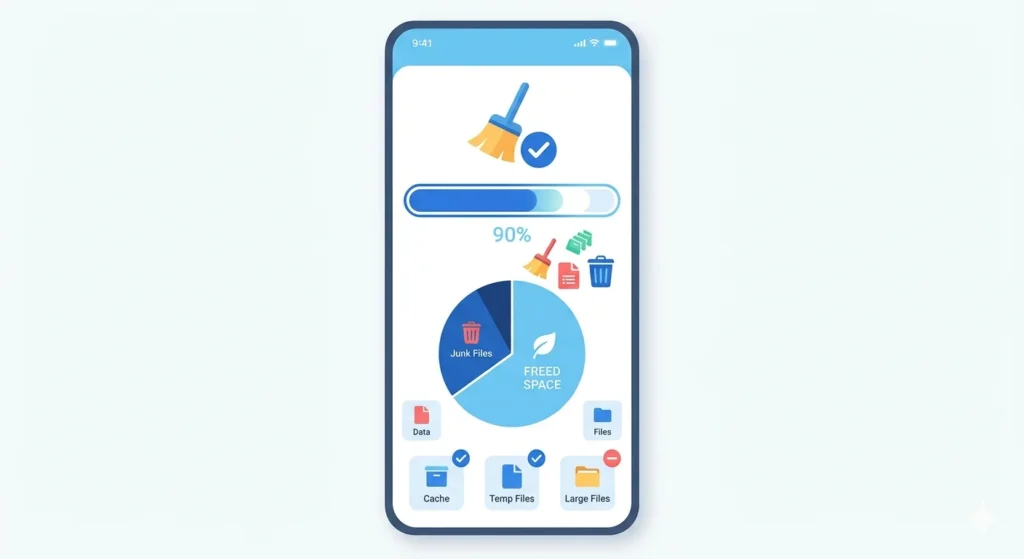
Trust matters a lot in this category, since cleaner apps have earned a mixed reputation over the years for doing very little while showing constant ads. CCleaner stands apart because its scanning engine actually identifies real junk instead of flagging harmless files just to look productive. The app also avoids requesting unnecessary permissions, which keeps your personal data away from places it does not need to be. Long-time desktop users recognize the same clean, no-nonsense interface here, just adapted for a smaller screen. This consistency across platforms is part of why the brand has held its position for so long.
Key Features of CCleaner
Here is a breakdown of what this app actually does once it is running on your phone.
- One-tap junk file and cache cleaning
- App manager to uninstall rarely used apps in bulk
- RAM booster to free up active memory instantly
- Large file finder to locate space-heavy downloads
- Duplicate photo detector for gallery cleanup
- Battery usage monitor to spot draining apps
How CCleaner APK Cleans Your Phone?
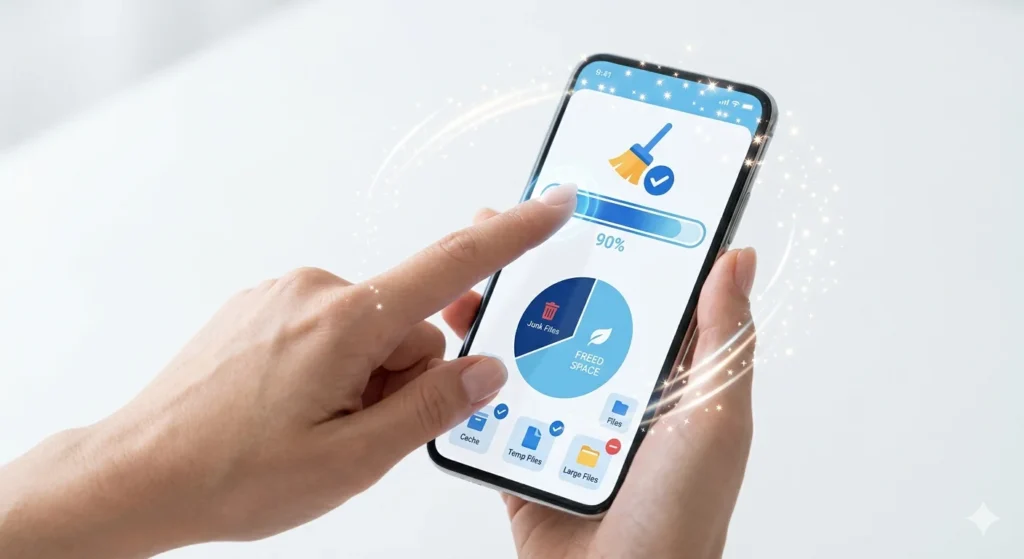
The cleaning process behind CCleaner APK works through a scan-and-review system rather than blind deletion. When you open the app, it scans system folders, app caches, and temporary files, then groups everything it finds into clear categories. You get to review what it plans to remove before confirming, which avoids the risk of losing something important by mistake. This approach takes a few extra seconds compared to apps that delete everything automatically, but it gives you control over the process. For users who have been burned before by aggressive cleaner apps, this review step alone builds a lot of confidence.
How to Download and Set Up CCleaner APK?
Setting up the app takes only a few simple steps, and you do not need any technical background to get started.
- Download the CCleaner APK file from a trusted source like APKSTICK
- Allow installation from unknown sources if your phone requests permission
- Install the file and open the app for the first time
- Grant storage access so the app can scan your files properly
- Tap the main clean button to run your first scan
- Review the results and confirm what you want to delete
The whole process usually finishes within a couple of minutes, even on phones with a large amount of stored data.
CCleaner vs Other Cleaner Apps
Picking the right cleaner often comes down to how much you trust the brand and how light the app feels on your phone. The table below places CCleaner next to two other well-known names in this space.
| Feature | CCleaner | Files by Google | AVG Cleaner |
|---|---|---|---|
| Junk File Scan | Yes | Yes | Yes |
| RAM Booster | Yes | No | Yes |
| Duplicate Photo Finder | Yes | Yes | Yes |
| Ad Frequency | Moderate | Low | Higher |
| App Size | 25 MB | 15 MB | 30 MB |
| Brand History | Long-standing desktop brand | Made by Google | Security-focused brand |
Pros and Cons of CCleaner
A balanced look at the app helps set realistic expectations before installing it.
| Pros | Cons |
|---|---|
| Trusted brand with years of reputation | Free version shows occasional ads |
| Review-before-delete cleaning approach | Pro upgrade needed for full automation |
| Effective RAM booster for older phones | Slightly heavier app size than rivals |
| Duplicate photo and large file finder | Some features overlap with Android’s own tools |
| No root access required | Battery monitor lacks deep customisation |
| Clean, simple interface | Occasional notification reminders to clean |
Tips to Keep Your Phone Running Smoothly
A cleaner app works best when paired with a few consistent habits rather than used as a one-time fix. Run a scan once a week instead of daily, since junk files need time to build up before a cleanup makes a real difference. Pay attention to the large file finder, since old downloaded videos often take up more space than people expect. Avoid blindly approving every suggested deletion, and instead glance through the list to make sure nothing important got flagged by mistake. Restarting your phone occasionally also helps clear temporary memory that a cleaner app cannot always reach. Combining these small habits with regular use of the app keeps performance steady over the long run.
Common Problems and Fixes
Most issues with cleaner apps come down to permissions or device-specific restrictions rather than a fault in the app itself. If the scan does not detect much junk, check that storage permission is fully granted in your phone settings. On some brands like Xiaomi or Vivo, aggressive battery optimisation can stop the app from running properly in the background, so add it to the allowed list. If the RAM booster does not seem to make a difference, remember that Android already manages memory efficiently on newer versions, so gains may feel smaller on recent phones. Should the app crash during a scan, clearing its own cache from phone settings and reopening it usually solves the problem. Keeping the app updated also prevents most compatibility issues with newer Android versions.
FAQs
Yes, downloading from a verified source like APKSTICK keeps the file safe and matches the original developer release.
No, the app works fully on non-rooted Android devices.
No, the app shows you what it plans to remove before deleting anything, so you stay in control.
Yes, especially on older or budget phones where background apps tend to slow things down over time.
The free version shows occasional ads, while the Pro version removes them entirely.
Once a week is usually enough for most users, unless your phone fills up storage unusually fast.

APKStick Team
The APKStick Team consists of dedicated Android gaming enthusiasts based in Pakistan who personally test, install, and review every APK before publishing. With years of hands-on experience in mobile gaming and earning apps, we aim to provide safe, verified, and up-to-date APK downloads for Pakistani users. Every app reviewed on APKStick is manually tested on real Android devices to ensure it works, pays, and is free from malware.
Download links
Click the above button to download the game.
Download your game by clicking the button below.