InShot APK – The All-in-One Photo and Video Editor for Android
66.77 MBVersion
v2.204.1534Requirements
Android 8.0 and aboveDownloads
500M+ Get it on

Description
Most people switch between three or four different apps just to finish editing one video for social media. The InShot APK download removes that hassle by combining a full video editor, a photo editor, and a collage maker inside a single app. Whether you are trimming a clip for Instagram Reels or touching up a photo for a TikTok post, InShot keeps the entire process in one place.
With over 500 million downloads and a 4.8 rating on the Play Store, InShot has earned its reputation as one of the most reliable editing apps for content creators, small business owners, and everyday users alike. This guide covers its standout features, how it stacks up against other editors, and the safest way to install it on your Android device.
Why InShot APK Has Become a Go-To Editing App?
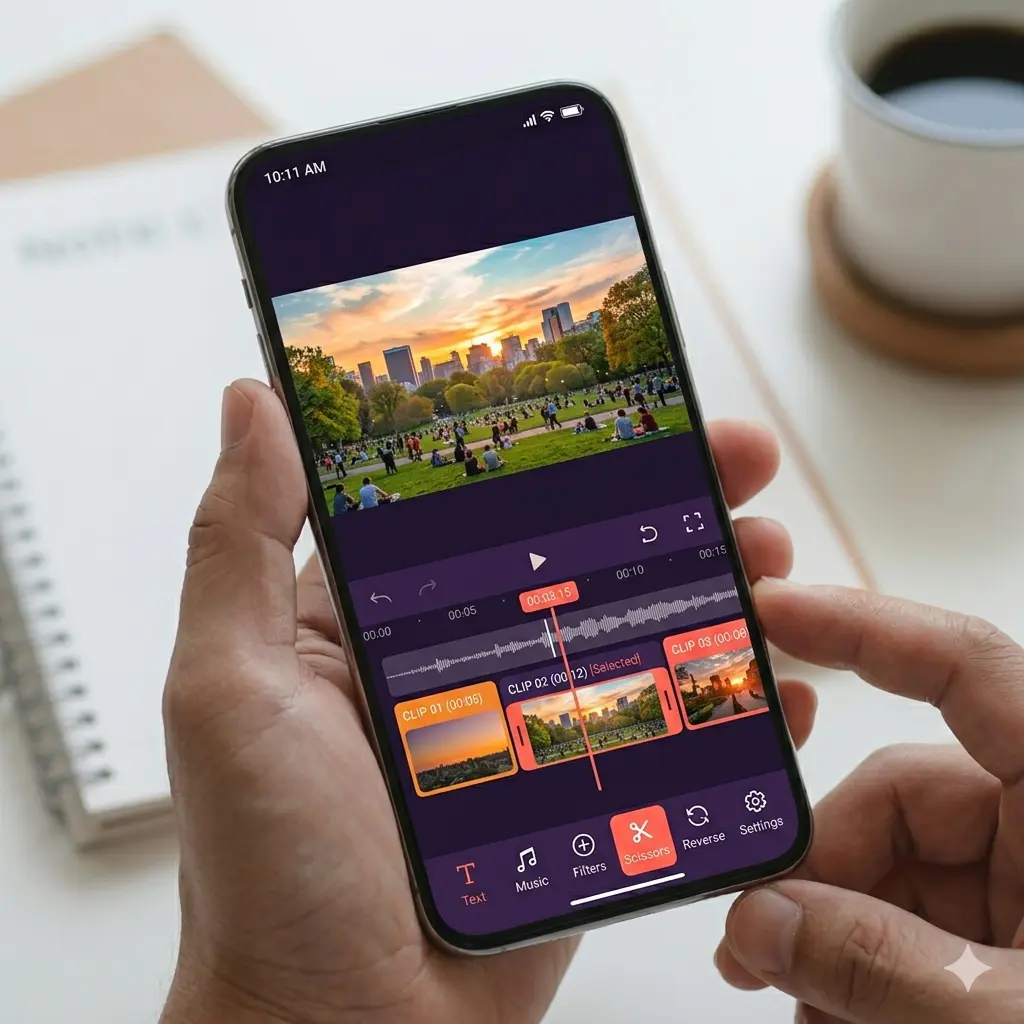
InShot APK succeeds because it strikes a rare balance between simplicity and depth. Beginners can open the app and trim a video within seconds, while more experienced editors can layer in transitions, keyframe animations, and custom audio without feeling restricted. As a result, the app appeals to a wide range of users, from casual phone photographers to serious vloggers building a YouTube channel.
The app also keeps evolving with regular updates. Recent additions include Auto Captions with bilingual support, an AI Light tool that improves photo illumination automatically, and a new geometric transition pack. Therefore, InShot continues to stay relevant even as editing trends shift toward shorter, faster-paced content.
Key Features of InShot
Full Video Editing Toolkit
You get a video cutter, splitter, merger, and slideshow maker in one place. There is no time limit on video length, so you can convert and edit clips of any duration without hitting a paywall.
Music and Voice-Over Tools
Add InShot’s featured music library or import your own beats. You can also extract audio from existing videos and add voice-overs directly inside the editor, which is useful for tutorials or storytelling content.
Filters, Effects, and Transitions
Movie-style filters like Glitch, Stop Motion, and Old TV add personality to your footage. With more than 55 transition styles available, including Fade, Light, and Slice, merging clips feels cinematic instead of choppy.
Text, Stickers, and Keyframe Animation
Add styled text with a wide range of fonts, then animate both text and stickers using keyframes for a polished, professional look. This feature alone sets InShot apart from many basic video trimming apps.
Speed Control
Adjust playback speed anywhere from 0.2x to a dramatic 100x. Whether you want smooth slow motion or a fast-paced highlight reel, the range gives you creative flexibility that most free apps do not offer.
Photo Editor and Collage Maker
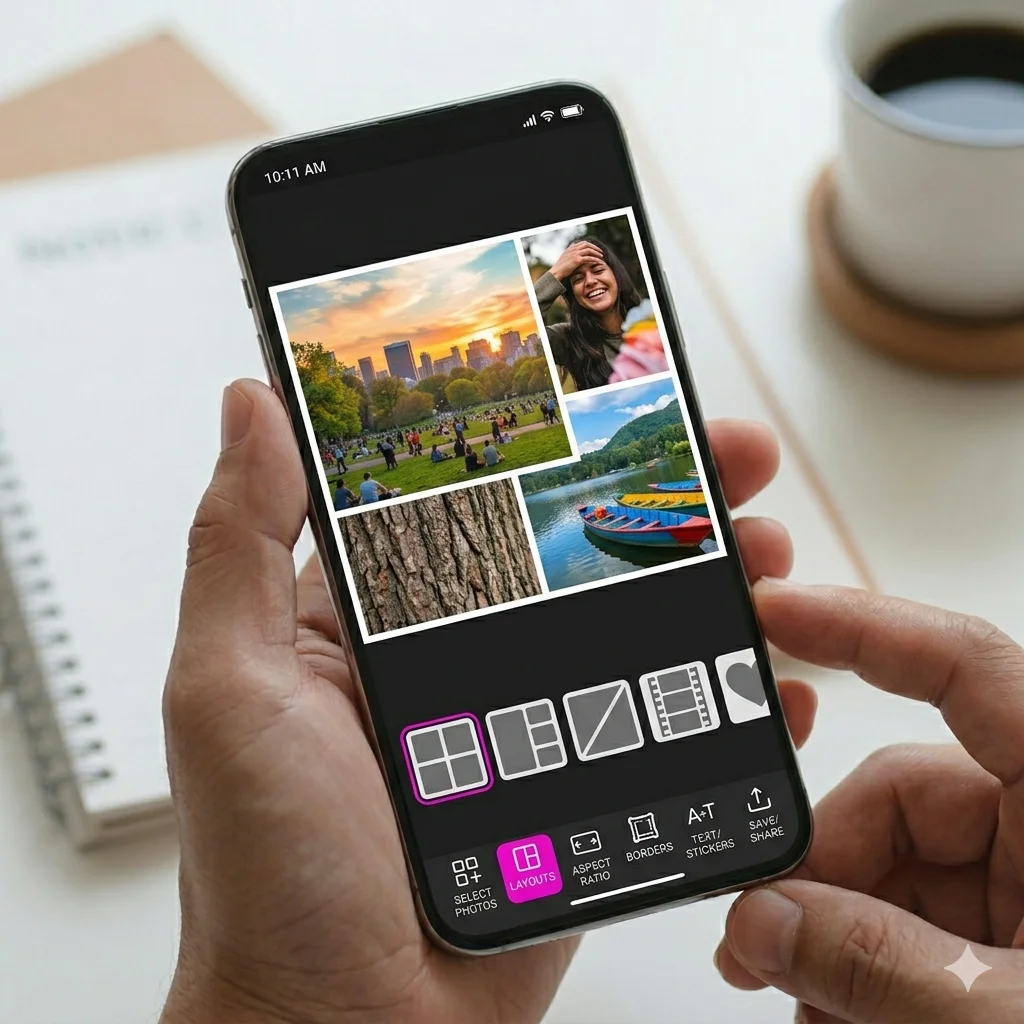
Beyond video, InShot includes a complete photo editor with background removal, HSL adjustments, and an AI Photo Enhancer that sharpens blurry images. The collage maker supports up to 20 photos across more than 100 editable layouts.
AI-Powered Tools
Newer AI features include AI Body Effects, automatic background removal for both photos and videos, and Smart Tracking, which follows a subject across frames for more advanced edits without manual keyframing.
Flexible Export Options
Export videos in custom resolutions up to 4K at 60fps, and adjust aspect ratios specifically for Instagram, TikTok, or YouTube, so your content fits each platform without manual cropping afterwards.
InShot vs Other Editing Apps
| Feature | InShot | Typical Competing Apps |
|---|---|---|
| Combined Photo and Video Editor | Yes, fully integrated | Usually separate apps |
| Time Limit on Videos | None | Often limited in free tier |
| Transition Styles | 55+ | Usually fewer than 20 |
| AI Background Removal | Yes, for photos and videos | Often photo-only |
| Export Resolution | Up to 4K at 60fps | Frequently capped at 1080p |
| Collage Layouts | 100+ | Limited variety |
| Ads | Present in free tier | Varies widely |
Pros and Cons
Pros
- Combines video editing, photo editing, and collage making in one app
- No time limit on video length
- Large library of transitions, filters, and fonts
- AI tools simplify background removal and photo enhancement
- Export quality supports up to 4K at 60fps
- Frequent updates with genuinely useful new features
Cons
- Ads appear throughout the free version
- A watermark applies unless you watch an ad or subscribe to remove it
- The built-in music library feels limited, even with a premium subscription
How to Download and Install InShot APK?
Completing the InShot APK download only takes a couple of minutes if you follow these steps in order.
- Tap the download button on this page to get the latest InShot APK file.
- Open your phone’s Settings and enable Install from Unknown Sources for your browser or file manager, since this is required for any APK installed outside the Play Store.
- Locate the downloaded file in your Downloads folder and tap to open it.
- Tap Install and wait for the installation to finish.
- Open the app, grant the necessary permissions, and start trimming, editing, or designing your first project.
If you would rather install through the official channel, InShot is also available directly on the Google Play Store, which handles future updates automatically.
Is InShot APK Safe to Download?
Yes. InShot is developed by an established editing software company with a long track record on the Play Store and hundreds of millions of installs worldwide, which speaks to its reliability. Every APK file listed on our site goes through a verification process before publishing, so you can install InShot with confidence and without worrying about hidden permissions or unwanted bundled software.
Who Should Use InShot?
Content creators managing multiple social platforms benefit the most from InShot, since the app’s flexible export ratios let them repurpose the same footage for Instagram, TikTok, and YouTube without re-editing from scratch. Small business owners who film product demos or promotional clips also find real value in the text, sticker, and transition tools, which help videos look polished without hiring a professional editor. Meanwhile, everyday users who simply want to clean up vacation photos or create a fun slideshow for family and friends will find the photo editor and collage maker more than capable for casual use.
Tips to Get Better Results from InShot
After completing the InShot APK download, a few small adjustments can noticeably improve the quality of your edits. Start by trimming unnecessary footage before adding effects, since working with shorter, cleaner clips makes it easier to time transitions and text animations precisely. When using the speed control feature, try previewing your edit at normal speed first so you can identify exactly which section benefits from slow motion or a quick speed ramp, rather than guessing and adjusting repeatedly.
For photo projects, apply background removal or AI enhancement before adding filters, since editing on a clean base image produces more accurate color results. It also helps to save your favorite text styles and transition combinations as you discover them, which speeds up future projects considerably. Lastly, check the app for updates regularly through the Play Store, since InShot rolls out new AI tools and effect packs fairly often, and staying current ensures you always have access to the latest creative options.
Final Thoughts
InShot APK continues to prove that a single, well-built app can replace several separate editing tools without sacrificing quality. With a complete video editor, a capable photo editor, and AI-powered features like background removal and photo enhancement, it covers far more ground than most apps in its category. The steady stream of updates, including recent additions like Auto Captions and AI Light, shows that the developers are actively keeping pace with how people create content today. If you want one reliable app for both photos and videos, the InShot APK download is a smart addition to your phone in 2026.
FAQs
The core editing tools are free, though the app shows ads and applies a watermark unless you watch an ad or subscribe to InShot Pro.
Yes, most editing tools work offline, though downloading new music, fonts, or filters requires an internet connection.
Yes, InShot has no time limit on video length, so you can edit clips of any duration.
No, InShot supports export up to 4K at 60fps, preserving the original quality of your footage.
Yes, the interface is simple enough for first-time editors while still offering enough depth for more advanced projects.

APKStick Team
The APKStick Team consists of dedicated Android gaming enthusiasts based in Pakistan who personally test, install, and review every APK before publishing. With years of hands-on experience in mobile gaming and earning apps, we aim to provide safe, verified, and up-to-date APK downloads for Pakistani users. Every app reviewed on APKStick is manually tested on real Android devices to ensure it works, pays, and is free from malware.
Download links
Click the above button to download the game.
Download your game by clicking the button below.