Description
Your phone’s stock camera app stops working its magic the moment you tap the shutter button, and that is exactly where the best photo editing apps for Android step in to finish the job. From fixing a dull, underexposed shot to turning an old, faded family photo into something sharp and shareable, the right editor can completely transform how your pictures look in just a few taps.
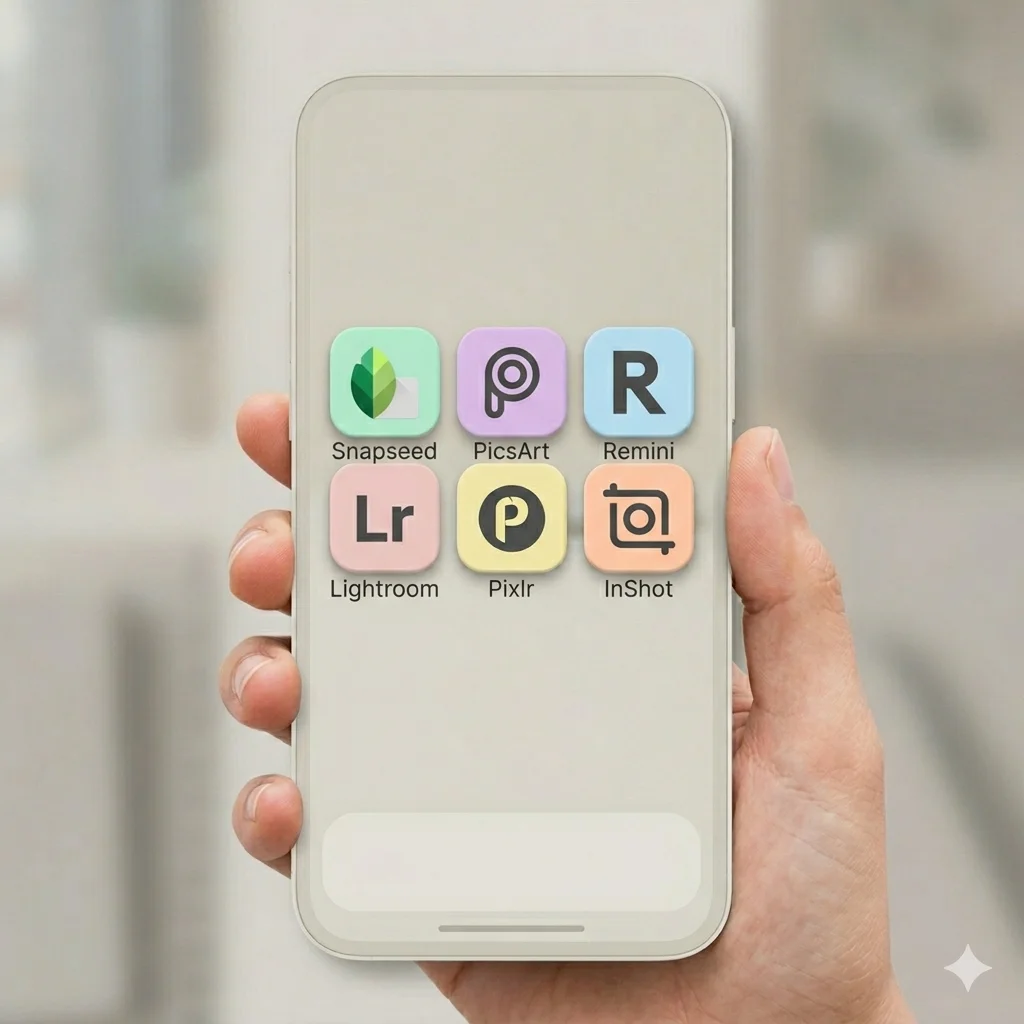
Choosing the right photo editing app can feel overwhelming when the Play Store offers hundreds of options that all claim to be the best. To save you the trouble of testing each one, we have reviewed and compared the six best photo editing apps for Android available right now. Each app on this list serves a different purpose, so whether you want quick AI fixes, professional-level controls, or a tool that handles both photos and videos, you will find the right match below.
1. Snapseed APK – Best All-Around Free Editor
If you want a complete editing toolkit without paying anything or sitting through ads, Snapseed remains the strongest choice. Developed by Google, it offers more than 30 professional tools, including Smart Masking, Dehaze, and full RAW support, all wrapped in a clean, ad-free interface. This app suits users who want real editing depth without a subscription holding back the best features.
Read the full Snapseed APK review and download
2. PicsArt APK – Best for Creative Templates and Community
PicsArt stands out for users who care about creative expression as much as technical editing. With over a billion downloads, it offers an enormous library of templates, stickers, and AI-generated backgrounds, along with an active community where you can discover trending styles. This app works best for social media creators who want their content to stand out visually.
Read the full PicsArt APK review and download
3. Remini APK – Best for AI Photo Enhancement
When a photo is blurry, low resolution, or simply old and faded, Remini’s AI does the heavy lifting. It specialises in sharpening details, restoring old or damaged photos, and enhancing faces with impressive accuracy. If your main need is fixing photo quality rather than creative editing, Remini is the most focused tool on this list.
Read the full Remini APK review and download
4. Lightroom Mobile APK – Best for Professional Manual Control
Photographers who want desktop-level precision on their phone should look at Lightroom Mobile. Built on Adobe’s professional editing engine, it gives you fine control over exposure, colour grading, and tone curves, plus AI tools like Generative Remove for cleaning up backgrounds. This app fits users who already understand editing fundamentals and want more control than auto-filters can offer.
Read the full Lightroom Mobile APK review and download
5. Pixlr APK – Best for Fast AI-Powered Edits
Pixlr focuses on speed through artificial intelligence. Tools like Generative Fill and AI Remove Object let you make complex edits in seconds rather than minutes, and the app’s massive effect library keeps results varied. This app suits users who want strong results quickly without learning manual editing techniques.
Read the full Pixlr APK review and download
6. InShot APK – Best for Combined Photo and Video Editing
InShot earns its spot by covering both photos and videos in a single app, with no time limit on video length. Between its transition library, AI background removal, and collage maker, it works well for content creators managing multiple types of media without switching between several apps.
Read the full InShot APK review and download
How to Choose the Right Photo Editing App for You?
The best app depends entirely on what you need most. If you want a free, ad-free editor with genuine professional depth, Snapseed is hard to beat. If creative templates and a trend-driven community matter more to you, PicsArt fits better. For fixing old or low-quality photos specifically, Remini outperforms general editors. Photographers who already understand manual controls will get more value from Lightroom Mobile, while users who want fast AI-assisted results should try Pixlr. Finally, if you regularly edit both photos and videos, InShot saves you from juggling multiple apps.
Many users end up keeping two or three of these apps installed at once, using each one for a different type of edit. There is no rule against mixing and matching, since each app handles a slightly different part of the editing process.
Final Thoughts
All six apps on this list earned their place through genuine usefulness rather than marketing hype. Whether you prioritise manual control, AI convenience, or creative templates, one of these options will likely become your go-to editor in 2026. Browse the individual reviews linked above for full feature breakdowns, comparison tables, and direct download links for each app.
Frequently Asked Questions (FAQs)
Snapseed is the only app on this list that has no ads and no in-app purchases at all.
Remini specialises in AI-based photo restoration and works better than general editors for this purpose.
Yes, many users combine apps, such as using Remini to enhance a photo before applying creative filters in PicsArt.
Pixlr and Snapseed both offer simple, AI-assisted tools that work well for beginners.
Yes, InShot is the only app on this list built specifically to handle both photo and video editing.

APKStick Team
The APKStick Team consists of dedicated Android gaming enthusiasts based in Pakistan who personally test, install, and review every APK before publishing. With years of hands-on experience in mobile gaming and earning apps, we aim to provide safe, verified, and up-to-date APK downloads for Pakistani users. Every app reviewed on APKStick is manually tested on real Android devices to ensure it works, pays, and is free from malware.
Download links
Click the above button to download the game.
Download your game by clicking the button below.