Google Gemini vs ChatGPT: Which AI Chatbot Actually Wins?
1 Million+Get it on

Description
Google Gemini vs ChatGPT is a question I get asked almost every week now, usually by someone switching phones or just tired of typing the same query into Google search five times. This comparison is not really a fair fight on paper because the two apps were built for different jobs. But once you actually use both for a month on an Android phone, clear patterns show up. Here is what I noticed after testing daily tasks on both apps, from writing help to homework questions to random late-night curiosity.
What Makes Google Gemini Different in This Comparison?
Gemini comes straight from Google, so it sits inside Android like it was always meant to be there. Open it on a Samsung or Pixel phone and there is a good chance it has already replaced the old Google Assistant. Ask it to check tomorrow’s calendar or find a screenshot buried in your gallery, and it just does it, no extra setup involved. The interface stays clean, almost boring in a good way, with a chat box and a mic icon front and centre. Upload a photo of a broken fan or a confusing electricity bill and Gemini reads it fast, usually within a second or two, even on a mid-range phone with average internet.
What Makes ChatGPT Different in This Comparison?
ChatGPT feels like a completely different animal, and honestly, that is by design. OpenAI built it to work the same whether you open it on Android, an iPhone, or a browser tab on a laptop at 2 AM. There is no dependency on a Google account or an Android ecosystem, which some users genuinely prefer. The free version already covers writing help, basic coding questions, and translation work without hitting many walls. What stands out after using it daily is the voice mode, it genuinely feels less robotic than most voice assistants people have used before, closer to an actual back-and-forth conversation than a command-response loop.
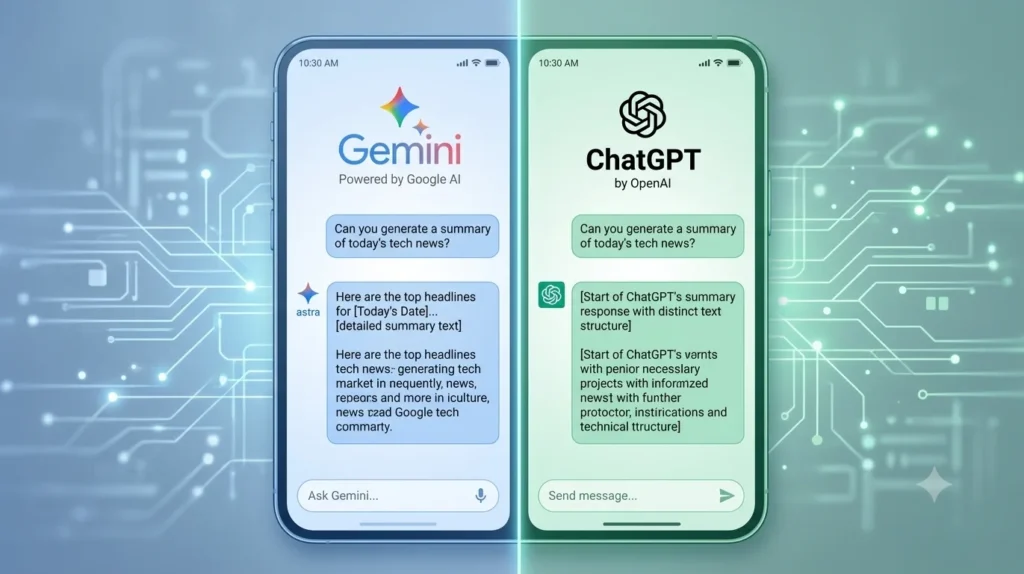
Google Gemini vs ChatGPT: Full Feature Table
| Feature | Google Gemini | ChatGPT |
|---|---|---|
| Built By | OpenAI | |
| Feels Native On | Android (deep OS integration) | Every platform equally |
| Free Daily Usage | Generous | Generous |
| Reads Images | Yes, fast | Yes, but slightly slower |
| Generates Images | Yes | Yes |
| Voice Conversations | Available | Widely considered the better one |
| Reads Gmail/Drive/Calendar | Yes | No |
| Needs a Google Account | Yes | No |
| Handles Long PDFs Well | Average | Noticeably better |
| Paid Tier | Gemini Advanced | ChatGPT Plus |
Writing Style Compared Between the Two Apps
Ask either app to write a caption for a shop’s Eid sale post or explain inflation to a ten-year-old, and both manage it well. But the tone is different once you look closely, and this is one of the clearest differences between Google Gemini vs ChatGPT. ChatGPT tends to write with more rhythm, almost like a person who reads a lot, which is probably why so many freelancers in Pakistan default to it for blog work and social captions. Gemini answers faster and more to the point, with less decoration, more substance, which some people actually prefer when they just want the answer and nothing else. Neither app struggles with Roman Urdu prompts, though full Urdu script replies read a shade more natural coming from Gemini, likely because Google has spent over a decade refining Urdu through Google Translate.
Photo and Document Reading Skills
Gemini clearly inherited something from Google Lens when it comes to reading photos, and this is where daily habits start to matter more than spec sheets. Pointing a camera at a math equation, a medicine strip, or a car engine warning light usually gets an accurate, quick breakdown from Gemini. ChatGPT reads images fine too, but its real strength shows up with documents. Drop in a fifteen-page PDF, a scanned assignment, or a business contract, and asking it to summarise or restructure feels noticeably smoother than doing the same thing in Gemini. Students dealing with long university notes tend to notice this difference first.
How Each App Fits Into Your Daily Phone Habits
Google controls both Android and Gemini, so the assistant can peek into your Gmail, draft a quick reply, or dig through Google Photos on request, all without you switching apps. That saves real time across a normal day. ChatGPT does not plug into your phone’s native apps the same way, but on desktop it makes up for this with browser extensions and third-party tool support that plenty of business users rely on for work outside the phone.
Pricing Side of Google Gemini vs ChatGPT in Pakistan
Both apps stay usable at a free level, which matters in a market where most people will not pay for a chatbot subscription without a strong reason. Gemini’s free tier rarely blocks casual daily use, and its paid Gemini Advanced plan throws in extra Google One storage, which sweetens the deal if you already pay for Google cloud space. ChatGPT Plus costs about the same and mainly buys faster responses plus access to the strongest underlying model during busy hours. Realistically, most everyday Pakistani users never need to pay for either one.
Speed on Average Pakistani Internet
Network speed genuinely changes the experience here, more than most comparisons admit. Gemini tends to load a touch faster on budget Android phones since it runs closer to the operating system itself. ChatGPT runs slightly heavier as a standalone app, though it has gotten noticeably better over the past year and rarely stutters even on average 4G in smaller cities, not just Lahore or Karachi.
Google Gemini Pros and Cons
What works well
- Talks directly to Gmail, Drive, and Calendar without extra steps
- Loads quickly even on lower-spec Android phones
- Strong at reading photos, screenshots, and handwriting
- The free tier covers most daily needs without pushing you to upgrade
- Doubles as a genuine phone assistant, not just a chatbot
Where it falls short
- Locked to a Google account, no way around it
- Long document analysis feels average compared to the alternative
- Fewer third-party tools or plugins for power users
ChatGPT Pros and Cons
What works well
- Identical experience across phone, laptop, and browser
- Handles long writing and document summarising better
- Voice mode feels like an actual conversation, not a command list
- Strong coding support for students and developers
- Large ecosystem of extensions and third-party integrations
Where it falls short
- No access to your phone’s Gmail, Calendar, or Photos
- App size runs slightly heavier on older Android devices
- Some useful features sit behind the paid plan more aggressively
Google Gemini vs ChatGPT: Who Should Pick Which One?
This part of the comparison depends entirely on your daily habits rather than which app is objectively smarter. Gemini makes the most sense for anyone whose day already runs through Gmail, Google Drive, and an Android phone. It does not feel like a separate app you have to remember to open, it feels like an extension of habits you already have. ChatGPT fits better for students, freelance writers, and developers who need strong writing support, document handling, or programming help, since the experience stays identical across every device.
Do You Really Have to Pick Just One?
Most people I know who use both professionally do not choose one over the other, they use Gemini for quick questions and anything tied to Google apps, then switch to ChatGPT for longer writing projects or document work. Both stay free to install, so there is no real cost to keeping both on your phone if your daily tasks vary as much as most people’s do.
Final Verdict on Google Gemini vs ChatGPT
There is no clean winner in this comparison, and honestly, treating it like a single-champion contest misses the point. Pick Google Gemini if you want an assistant woven directly into your Android phone and Google account, with quick responses and strong image reading. Pick ChatGPT if writing quality, document handling, or a consistent cross-device experience matters more to your daily routine. For most Pakistani users, keeping both installed costs nothing and covers every situation you are likely to run into.
Frequently Asked Questions
Yes, the free tier covers generous daily usage that handles most everyday tasks without requiring a subscription.
Yes, since all processing happens on OpenAI’s servers, there is no offline mode available for the app.
ChatGPT is generally the stronger pick for long-form writing and summarising documents, while the other app answers quick questions more directly.
Yes, both are free on the Google Play Store and run side by side without any conflict between them.
Yes, since the assistant connects directly to Gmail, Drive, and other Google services to unlock its full feature set.

APKStick Team
The APKStick Team consists of dedicated Android gaming enthusiasts based in Pakistan who personally test, install, and review every APK before publishing. With years of hands-on experience in mobile gaming and earning apps, we aim to provide safe, verified, and up-to-date APK downloads for Pakistani users. Every app reviewed on APKStick is manually tested on real Android devices to ensure it works, pays, and is free from malware.
Download links
Click the above button to download the game.
Download your game by clicking the button below.