VivaVideo APK Download 2026 | Free AI Video Editor for Android
174.78 MB Version
v9.36.0Requirements
Android 5.0+Downloads
540 millionGet it on

Description
VivaVideo APK has been around since before “video editing app” was even a common search term. And it’s still pulling massive numbers today. If you want an editor that’s beginner-friendly but doesn’t skimp on real features, this is one of the most downloaded names in the category.
The numbers speak for themselves. VivaVideo has been downloaded 540 million times. Plus, it holds a 4.29-star rating from 12 million ratings. Few apps in this space have that kind of staying power.
What is VivaVideo?
VivaVideo is a free video editing app developed by QuVideo Inc. It has been available on Google Play since June 2013. The app uses a storyboard-style workflow. You load your clips, trim them in sequence, then move to the next segment. This makes it approachable for beginners, yet it still packs professional tools underneath.
In 2026, VivaVideo leaned heavily into AI. The app now positions itself as “your free AI creative partner to turn imagination into influence,” with everything from auto captions to full AI video generation built in.
App Specifications
| Feature | Details |
|---|---|
| Developer | QuVideo Inc. |
| Available Since | June 2013 |
| Latest Version | 9.36.0 |
| App Size | 174.78 MB |
| Android Requirement | Android 5.0+ |
| Total Downloads | 540 million |
| Rating | 4.29 stars from 12 million ratings |
| Last Updated | March 26, 2026 |
| Price | Free, with optional subscription |
AI Tools That Set VivaVideo Apart in 2026
The latest version of VivaVideo feels less like a trim-and-cut app and more like a full AI creative suite. Here’s what stands out.
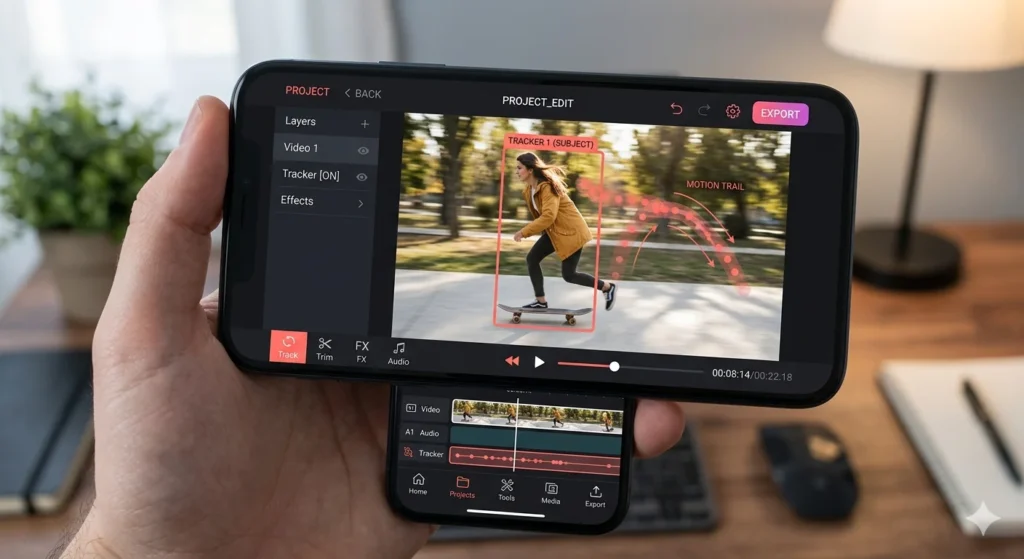
First, there’s Smart Tracking. It lets you track moving objects in your video for precise effects, text, or animations that follow their motion. This works well for sports clips or any fast action shot.
Next is AI Beat. This feature automatically syncs video highlights with rhythmic beats for perfectly timed edits. So instead of manually counting beats, the app handles the timing for you.
For multilingual creators, AI Auto Captions generates speech-to-text captions with one-tap translation. This alone can save hours when publishing across different markets.
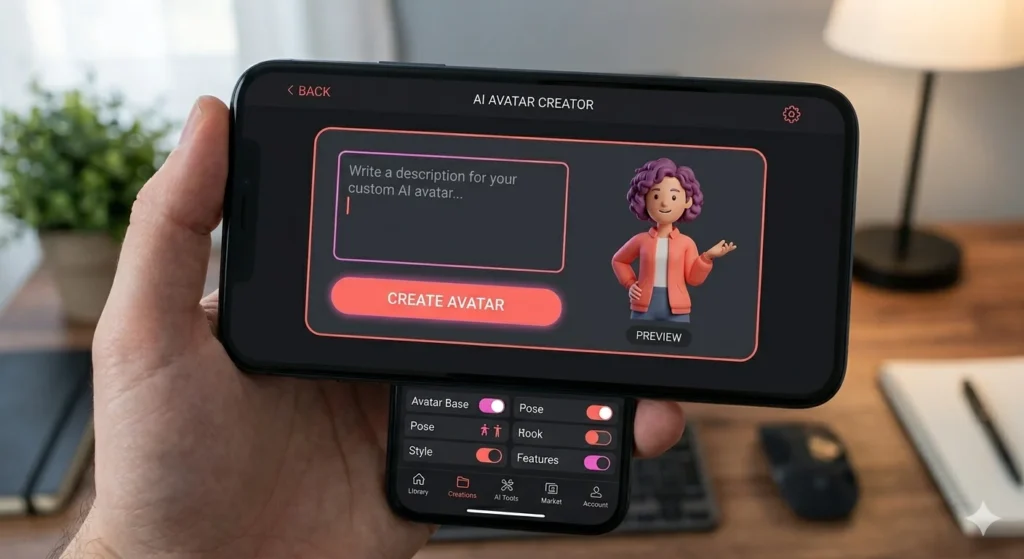
Then there’s AI Avatar, which is powered by Veo 3 AI and turns text into talking clips with customizable voices. As a result, you can build faceless content without ever filming yourself.
Rounding out the suite are the AI Music Generator and Voice Clone tools. Together, they let you create custom songs from your own ideas or clone your voice for narration.
Finally, Background Removal uses AI to automatically remove and change video backgrounds. No physical green screen needed.
Core Editing Features
Beyond the AI layer, VivaVideo still covers the basics well. You get full cut, merge, and split tools on a visual timeline. On top of that, there are transition effects, along with movie-style filters, glitch effects, and VHS-style aesthetics for stylised output.
For creators who like sharing short loops, the built-in GIF maker lets you export GIFs with transparent backgrounds. And when you’re ready to export your final video, the app supports 720p, Full HD 1080p, and 4K resolutions.
What Real Users Are Saying?
It’s worth being upfront here, since VivaVideo’s reviews show a mixed picture despite its huge install base. For instance, several users have reported losing edited projects after saving drafts, with the app failing to reopen or export finished videos properly, even after paying for the subscription. Similarly, other reviewers have complained about watermarks reappearing after updates and video length restrictions being added despite prior purchases.
However, the developer has acknowledged some of these issues publicly. The team has stated that technical problems have been addressed in newer versions and advised users to update the app. Still, it’s smart to save and export your work frequently rather than relying on drafts, especially for longer projects.
Free Version vs Subscription
VivaVideo is free to download. That said, subscriptions are billed monthly or annually and renew automatically unless turned off at least 24 hours before the period ends. While the free tier covers most casual editing needs, some advanced AI tools and watermark-free exports sit behind the paid plan.
Installing VivaVideo APK
Getting started takes just a few steps:
- Tap the Download APK button below to get the verified file.
- Open your file manager and locate the downloaded APK.
- Enable Install from Unknown Sources under Settings > Security, but only if this is your first APK install.
- Tap the file, then select Install.
- Open the app and grant any permissions needed for camera, storage, and microphone access.
Alternatively, the official Google Play Store listing is available if you’d rather get automatic updates.
Tips for Getting the Best Results
Export and save your finished video right after completing an edit. Don’t leave it sitting as a draft, since that’s exactly where the project-loss issue tends to show up. For music-driven content, lean on AI Beat instead of manually timing your cuts; it saves real editing time and usually lines up better than a manual pass. Finally, keep the app updated regularly, since QuVideo has been actively pushing fixes for the bugs users have reported.
Our Take After Testing VivaVideo
We tested VivaVideo across both quick edits and one longer multi-clip project. Right away, the AI tools impressed us, especially AI Beat, which lined up cuts to music far more accurately than doing it by hand. Smart Tracking also performed well on a simple panning shot, locking onto the subject without much manual adjustment needed.
What stood out most, though, was how approachable the storyboard workflow felt. Compared to apps like Alight Motion or PowerDirector, which assume more editing knowledge upfront, VivaVideo eases first-time editors in gently. Even so, we’d still recommend exporting your work as you go rather than waiting until the end of a long session, simply because other users have reported losing finished projects.
For casual creators and beginners chasing AI-assisted editing without a steep learning curve, VivaVideo remains a solid pick. It’s backed by over a decade of development and hundreds of millions of installs, and that track record counts for something.
Conclusion
VivaVideo APK earned its place as one of the most downloaded video editors on Android by staying beginner-friendly while keeping pace with AI trends. With 540 million downloads and a constantly expanding AI toolkit, it remains a strong choice for casual creators. Just remember to save your work frequently, given some of the reported bugs.
Ready to try it? Download VivaVideo APK from APKStick today and start creating with its AI-powered editing tools.
Frequently Asked Questions
Yes, VivaVideo is free to download, though optional paid subscriptions unlock advanced features and watermark-free exports.
VivaVideo requires Android 5.0 or higher.
The app size is approximately 174.78 MB.
Yes, you can export videos in 720p, Full HD 1080p, or 4K resolution.
Yes, the AI Avatar feature turns text into talking clips with customizable voices, powered by Veo 3 AI.
Yes, every APK listed on APKStick is verified before publishing. Read more on our How We Verify APKs page.

APKStick Team
The APKStick Team consists of dedicated Android gaming enthusiasts based in Pakistan who personally test, install, and review every APK before publishing. With years of hands-on experience in mobile gaming and earning apps, we aim to provide safe, verified, and up-to-date APK downloads for Pakistani users. Every app reviewed on APKStick is manually tested on real Android devices to ensure it works, pays, and is free from malware.
Download links
Click the above button to download the game.
Download your game by clicking the button below.